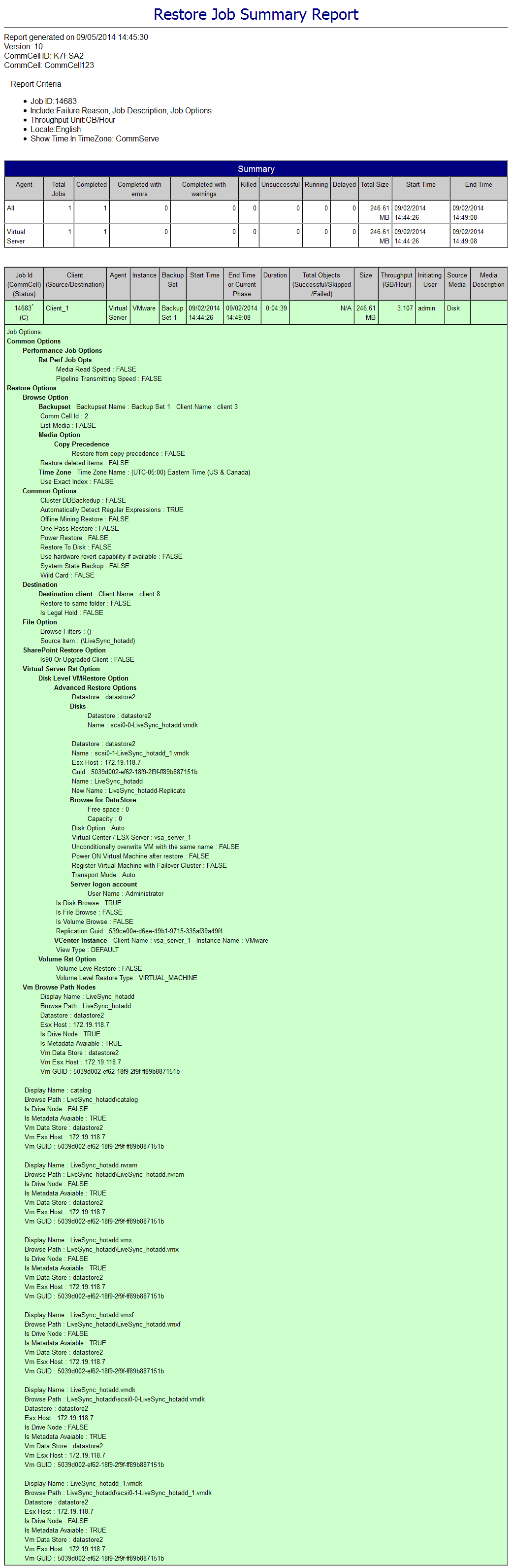
You can use the Restore Job Summary Report to identify the virtual machine names where each restored file is located.
Procedure
-
On the CommCell Console ribbon, the Reports tab, and then click the Summary button.
-
On the General tab, click Data Recovery Jobs > Browse and Restore.
-
On the Computers tab, select the computers and agent types that you want to include in the report.
-
On the Selection tab, select Job Options.
-
On the Options tab, leave the default options selected.
-
On the Time Range tab, specify the time period for the report information.
-
On the Output tab, specify the format for the report, such as HTML, Text, or PDF.
-
At the bottom of the Report Selection dialog box, click Run.
The report opens in the format that you specified. Each restored file lists the location where it was restored.