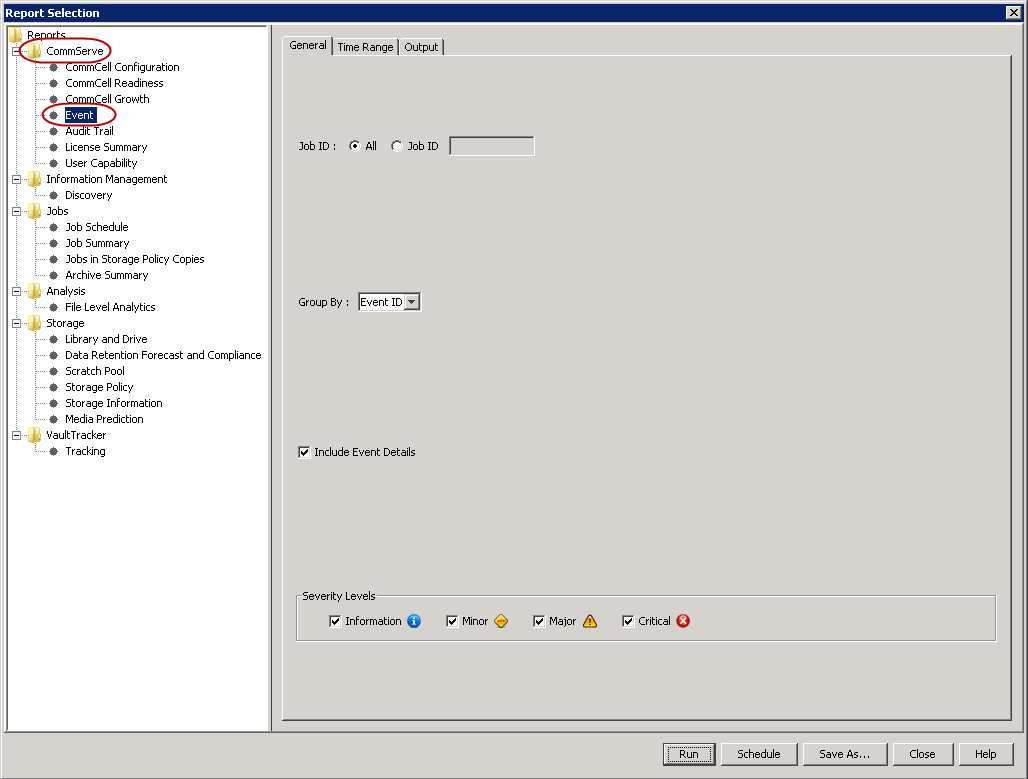
The Event Report displays a list of events that includes the severity of each event, the time at which the event occurred, the computer on which the event occurred, and a description of the event.
Use the following steps to generate an Event Report:
-
From the Reports menu in the CommCell Console, click Summary.
-
In the Report Selection dialog box, click Event under CommServe.
-
Select suitable options and click Run.
Event Report appears in your default browser.