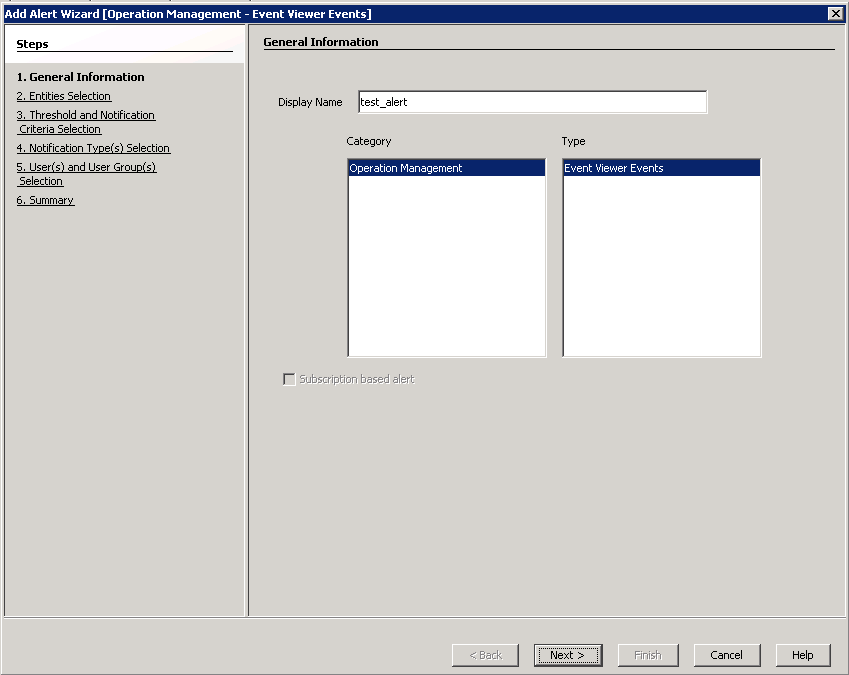
You can add alerts for an event from Alerts dialog box.
Use the following steps to view alerts for an event:
-
Right-click an event in the Event Viewer and select Add Alert from the shortcut menu.
Alternatively, right-click an event in the Event Viewer, select View Alerts from the shortcut menu and then click Add.
-
In the Add Alert Wizard dialog box, enter a name for the alert in the Display Name box.
-
Select a Category and Alert Type and click Next.
-
Select the clients or client groups that you want to associate with this alert and click Next.
-
Select the notification criteria to be used and click Next.
-
Select the required notification types and click Next.
-
Select the notification recipients and click Next.
-
Click Finish after reviewing the summary.
-
Click OK.