The Commvault HyperScale platform alert monitors the following characteristics on HyperScale nodes:
-
Commvault File System (CVFS) service health
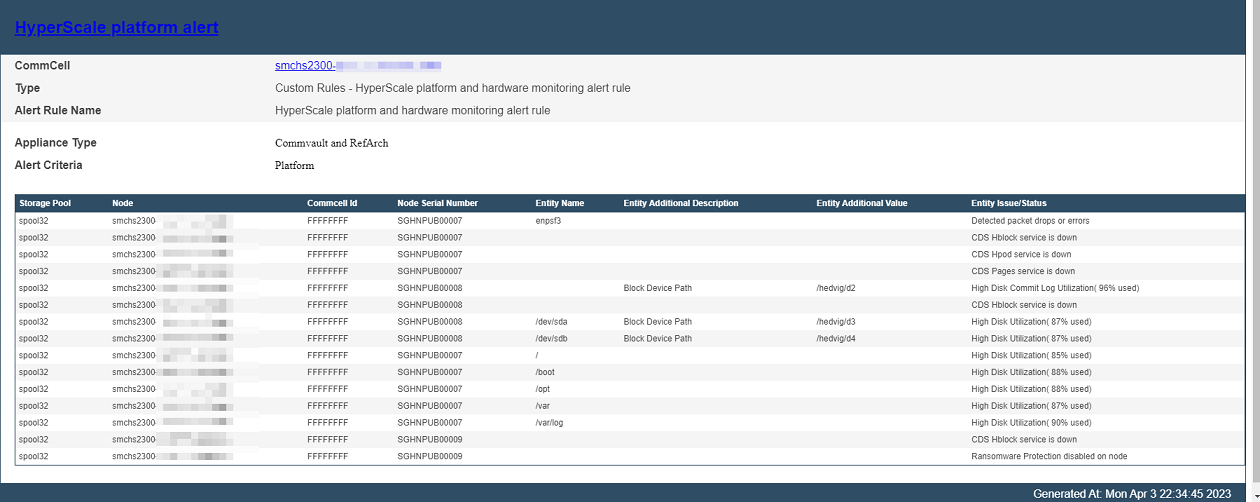
Alerts are generated if any of the following services stop running: hedvighblock, hedvigpages, hedvighpod, or hedvigfsc.
The CVFS service health monitoring is supported on CVFS version 4.7.7 or later.
-
Commit log partition consumption
Monitors usage of the commit log partition (
/hedvig/d2) and generates alerts when consumption exceeds a configurable high watermark.The default watermark is 95%.
-
System mount point consumption
Monitors disk usage and generates alerts when consumption exceeds a configurable high watermark for the following mount points:
/, /opt, /var, /var/log, and /boot.
The default watermark is 85%.
-
Data drive consumption
Monitors data drive usage and generates alerts when consumption exceeds a configurable high watermark.
The default watermark is 85%.
-
CVFS metadata mount point consumption
Monitors usage of metadata mount points /mnt/d3, /mnt/d4, and /mnt/d5, and generates alerts when consumption exceeds the configured watermark.
The default watermark is 70%.
-
Ransomware protection status
Generates alerts when ransomware protection is disabled on HyperScale nodes.
-
Network health
Detects and alerts on network packet drops or errors on configured network interfaces.
-
Firewall status
Generates alerts if the firewall is disabled.
-
Password expiration
Generates alerts if the cvbackupadmin user password is scheduled to expire within 7 days.
On new installations running Commvault Platform Release 2023E, this alert is enabled by default for all HyperScale nodes.
Note
Hardware monitoring is limited on the Cisco S3260 platform because multiple servers share a single chassis and common components such as power supply units (PSUs) and fans. As a result, the hardware components tile is not displayed at the storage pool level. However, node-level monitoring — including disk status, CPU usage, and memory utilization — is available for each individual node.
On existing installations, after upgrading to Commvault Platform Release 2023E, you must first disable the Scale out disk health alert and then enable the new HyperScale platform alert.
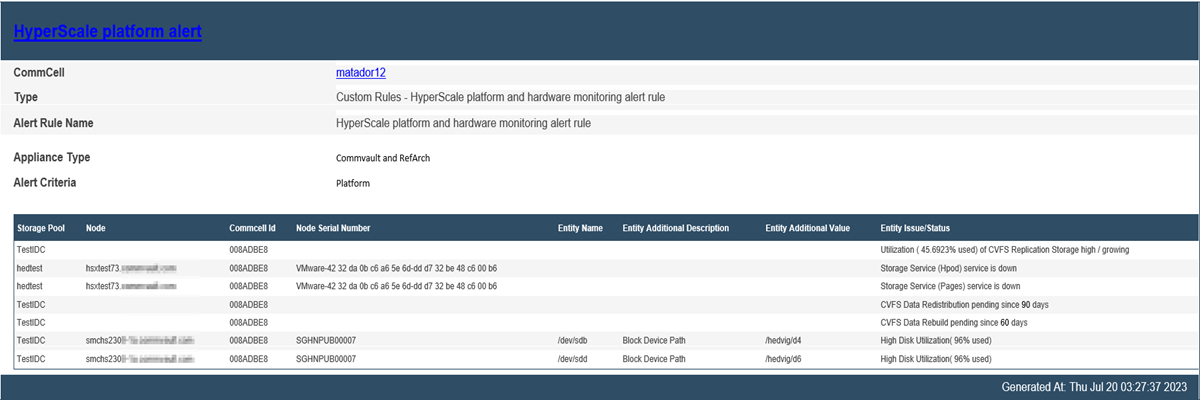
Sample Output
Configuring the Threshold Values
To modify the default threshold values for platform monitoring, add the following settings. For more information, see Adding a Global Setting.
|
Name |
Entity |
Description |
|---|---|---|
|
HSX Data disk space usage threshold (HSXDataDiskThresholdPercentage) |
CommCell |
Configures the threshold for data drive consumption |
|
HSX commit log space usage threshold (HSXCommitLogThresholdPercentage) |
CommCell |
Configures the threshold for commit log partition consumption |
|
HSX System mount points space usage threshold (HSXSystemMountPointThresholdPercentage) |
CommCell |
Configures the threshold for system mount point consumption |
Enhanced CVFS Monitoring
The software monitors the following operations on the HyperScale X cluster:
-
CVFS data redistribution
Alerts are generated when pending data redistribution exceeds the default threshold of 90 days.
-
Data rebuilds
Alerts are generated when pending data rebuilds exceed the default threshold of 60 days.
-
Replication storage utilization
Alerts are generated when replication storage usage exceeds the default threshold of 10% of the storage pool capacity.
In addition, alerts are generated when overall storage pool capacity utilization exceeds 70%.
Sample Output