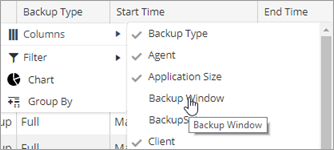
You can include or exclude any of the columns in a table. In report tables, sometimes columns are hidden by default.
Procedure
-
From the navigation pane, click Reports.
The Reports page appears.
-
Click a report.
-
At the top-right of the table, click the Column Settings
 button, and then click Columns.
 -
From the list, select a column that does not have a check
 mark beside it.